
Cloud-Based vs Offline Pharmacy Software: Which Is Better? (2026)
The Real Distinction Between Cloud-Based and Offline Pharmacy Software
Cloud-based pharmacy software runs through the internet, storing data securely on remote servers and syncing in real time across devices and locations. Offline (or on-premise/desktop) pharmacy software runs entirely on a local machine, storing data on that machine alone, with no dependency on an internet connection to function.
The short answer for most pharmacies in 2026: cloud-based software is the better long-term choice, because it solves problems offline software structurally can't — real-time multi-device access, automatic backup, and visibility across more than one location. But that answer deserves the full comparison, not just the conclusion, because offline systems do have real, specific strengths worth understanding.
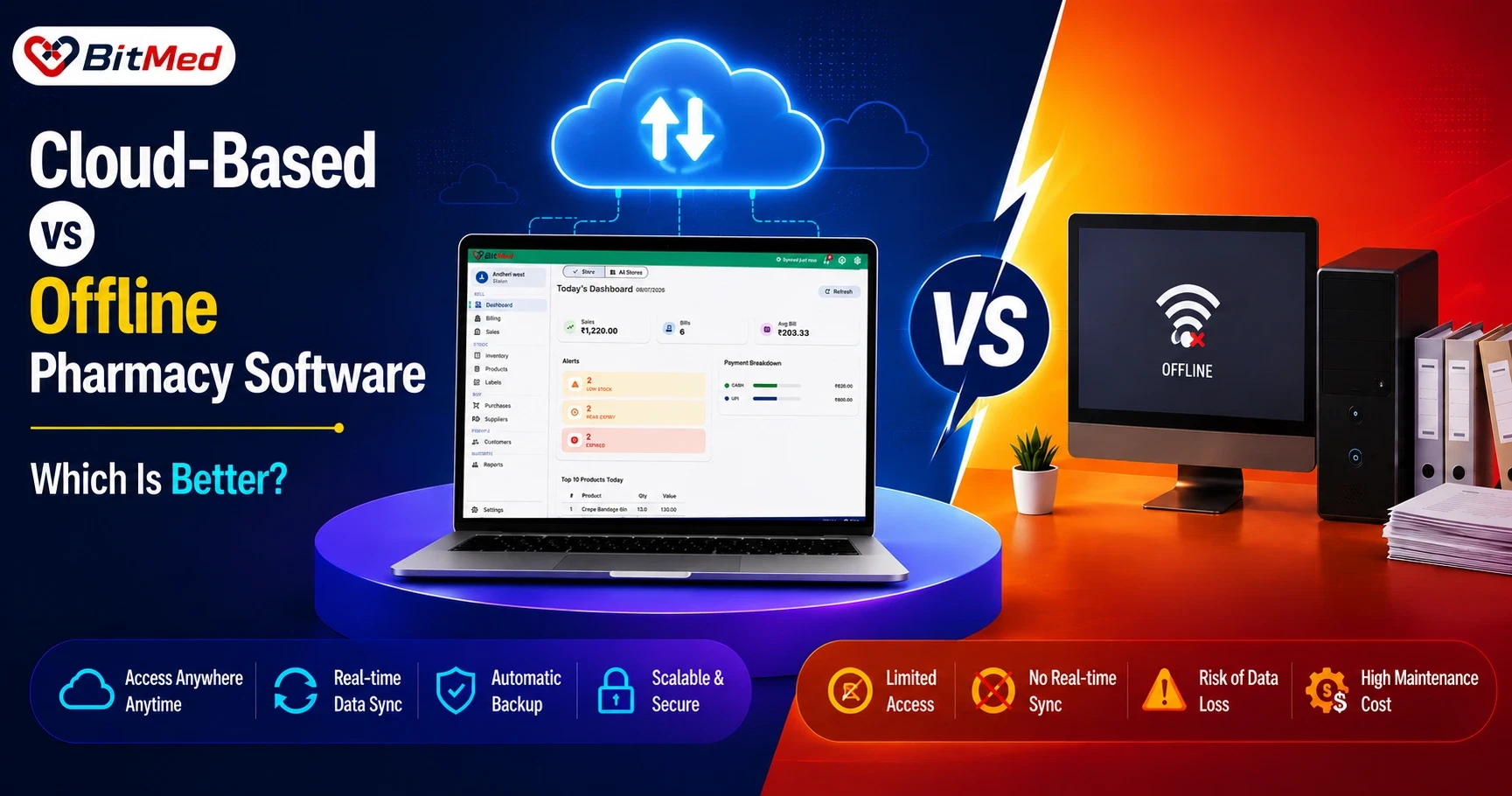
This comparison sits at the center of BitMed's positioning as cloud-based Pharmacy Management Software, and connects closely to how Pharmacy Billing Software and BitMed's approach to Offline Pharmacy Billing both fit into the picture.
How Each Model Actually Works
Cloud-based pharmacy software stores data on secure remote servers, accessed through a browser or app. Any authorized device — a billing counter, an owner's phone, a manager's laptop at home — can see the same live data, because it's all reading from the same source in real time.
Offline pharmacy software stores data locally on the machine it's installed on. Access is typically limited to that machine (or a local network), and backups depend on whatever the store has set up manually — an external drive, a manual export, or nothing at all.
The core difference isn't really "does it need internet" — it's where the data lives and how many places can see it at once.
Where Cloud-Based Software Wins
Real-Time Access From Anywhere
An owner checking sales from home, a manager comparing stock between two counters, or a pharmacist confirming availability before a customer arrives — all of this requires data to be accessible beyond a single fixed machine. Cloud-based software makes this the default; offline software generally can't do it at all.
Automatic, Secure Backup
Data stored only on a local machine is one hardware failure, theft, or accidental deletion away from being gone. Cloud-based systems back data up continuously and securely by design, removing this risk almost entirely.
Multi-Store and Multi-Counter Visibility
For any pharmacy running more than one counter or planning to open additional branches, cloud-based software is close to a requirement — centralized catalogs and cross-branch stock visibility depend on data living in one connected place, not on separate local machines per location.
Easier Updates and Maintenance
Cloud software updates centrally, so every user benefits from improvements and fixes without manually reinstalling anything. Offline software often requires manual updates per machine, which is easy to fall behind on.
No Hardware Lock-In
Because cloud-based systems run through a browser, they're not tied to one specific machine. A store can bill from a different computer, tablet, or replacement device without losing access to its data.
Where Offline Software Still Has a Point
- Perceived independence from internet reliability: In areas with genuinely unstable or unavailable internet, the idea of software that "just runs locally" feels safer — though modern cloud systems increasingly close this gap (more on that below).
- No ongoing data transfer concerns: Some owners are simply more comfortable with data staying on a machine they can physically see and control, even if that comes with the backup and access trade-offs above.
- Familiarity: Pharmacies that have run the same offline system for years have built habits and trust around it, and switching always carries some transition cost, regardless of which direction the switch goes.
These aren't imaginary concerns — but they're increasingly addressed by cloud-based systems built with connectivity gaps in mind, rather than being an offline-exclusive advantage.
What About Internet Reliability? The Middle Ground
The strongest argument for offline software has always been: "what if the internet goes down mid-sale?" This is a legitimate operational question, and it's why BitMed doesn't force an all-or-nothing choice.
BitMed is cloud-based first, with billing that continues locally during a brief connectivity drop and syncs automatically once the connection returns — including bill numbering designed to avoid conflicts across counters when multiple devices have been billing offline briefly. In other words, the resilience people want from offline software is built into BitMed's cloud platform as a safety net, not as the primary way the system is meant to run.
This matters because it reframes the choice: it's rarely "cloud or offline" as absolute categories anymore — it's whether a system is cloud-based with offline resilience, or offline-only with no cloud benefits at all.
Side-by-Side Comparison
- Data access: Offline: limited to the local machine or network. Cloud-based (BitMed): any authorized device, anywhere.
- Backup: Offline: manual, often inconsistent. Cloud-based (BitMed): automatic and continuous.
- Multi-store visibility: Offline: not possible without separate systems. Cloud-based (BitMed): centralized, real-time across branches.
- Updates: Offline: manual, per machine. Cloud-based (BitMed): centralized, automatic.
- Hardware dependency: Offline: tied to specific machine(s). Cloud-based (BitMed): runs in-browser, not device-locked.
- Behavior during connectivity drop: Offline: not applicable (already local). Cloud-based (BitMed): continues billing locally, syncs on reconnect.
- Owner remote visibility: Offline: not available. Cloud-based (BitMed): available via dashboard and mobile app.
Which Should You Choose?
Choose cloud-based software (like BitMed) if:
- You want to check your store's performance without being physically present.
- You run, or plan to run, more than one counter or branch.
- Data safety and automatic backup matter to your business continuity.
- You want a system that updates and improves without manual reinstalls.
Offline-only software may still appeal if:
- Your store operates in an area with genuinely unreliable connectivity and you haven't evaluated a cloud system with built-in offline resilience.
- You strongly prefer data stored only on a machine you physically control, and have your own reliable backup process in place.
For most Indian medical stores in 2026 — including single-counter stores planning any future growth — cloud-based software with offline resilience covers both scenarios, which is why it's increasingly the default rather than one option among equals.
Frequently Asked Questions
Is cloud-based pharmacy software better than offline software?
For most pharmacies, yes — cloud-based software offers real-time multi-device access, automatic backup, and multi-store visibility that offline software structurally can't provide, while modern cloud systems like BitMed also handle brief connectivity drops without stopping billing.
Does cloud-based pharmacy software work without internet?
Well-built cloud-based systems, including BitMed, continue billing locally during a brief internet outage and sync automatically once the connection is restored, though they're designed to run online as the default.
Is offline pharmacy software safer for data storage?
Not generally. Offline software stores data only on a local machine, which is vulnerable to hardware failure, theft, or accidental loss unless the store maintains a separate manual backup process. Cloud-based software backs up data automatically and continuously.
Can offline pharmacy software support multiple store locations?
Not effectively. Offline software runs on a single local machine or network, so multi-store visibility usually requires manual reconciliation between separate systems — something cloud-based software handles natively through centralized, real-time data.
Why would a pharmacy still consider offline software in 2026?
Mainly in areas with genuinely unreliable internet, or where an owner strongly prefers data staying only on a physical machine they control — though cloud-based systems with offline resilience increasingly address the connectivity concern directly.
Does switching from offline to cloud-based software require new hardware?
Usually not. Cloud-based platforms like BitMed run through a standard browser (Chrome, Edge, or Firefox), so most existing computers at the counter can be used without new hardware purchases.
Can an owner check pharmacy performance remotely with cloud software?
Yes. Cloud-based systems like BitMed offer dashboard and mobile app access, letting owners review sales, stock, and alerts from anywhere, which offline-only systems cannot support.
Conclusion
Cloud-based and offline pharmacy software aren't really two equal categories anymore — they're a choice between a system built for real-time access, safety, and growth, and one limited to a single machine with no built-in safety net. The connectivity concern that used to justify offline-only systems is increasingly handled by cloud platforms designed with resilience in mind, rather than being an offline exclusive.
BitMed is built cloud-first, with the reliability of continued billing during brief connectivity drops layered on top — giving pharmacies the real-time access, backup, and multi-store readiness of the cloud without the fragility people associate with "internet-dependent" software. See how it works as part of BitMed's Pharmacy Management Software platform at bitmed.in.
Ready to move your pharmacy to the cloud — without losing offline reliability?
See how BitMed combines cloud-based access with offline billing resilience at bitmed.in.
Explore BitMed